
Today we're introducing Pipeline Hooks, a new Enterprise feature that lets you extend your Terragrunt pipeline runs with your own scripts. Whether you want to notify external systems, enforce custom policies, generate reports, or integrate with internal tooling, hooks make it easy to run custom logic in response to Terragrunt plans and applies. Hooks can return one of three results: ✅ pass, ⚠️ warn, or ⛔️ deny. This makes it easy to enforce custom validation, surface warnings to reviewers, or block merges when required.
This initial release introduces the after_hook repository block, which runs custom scripts after a Terragrunt plan or apply finishes. Support for before_hook and error_hook is planned for a future release. (If you have specific use cases in mind, let us know!)
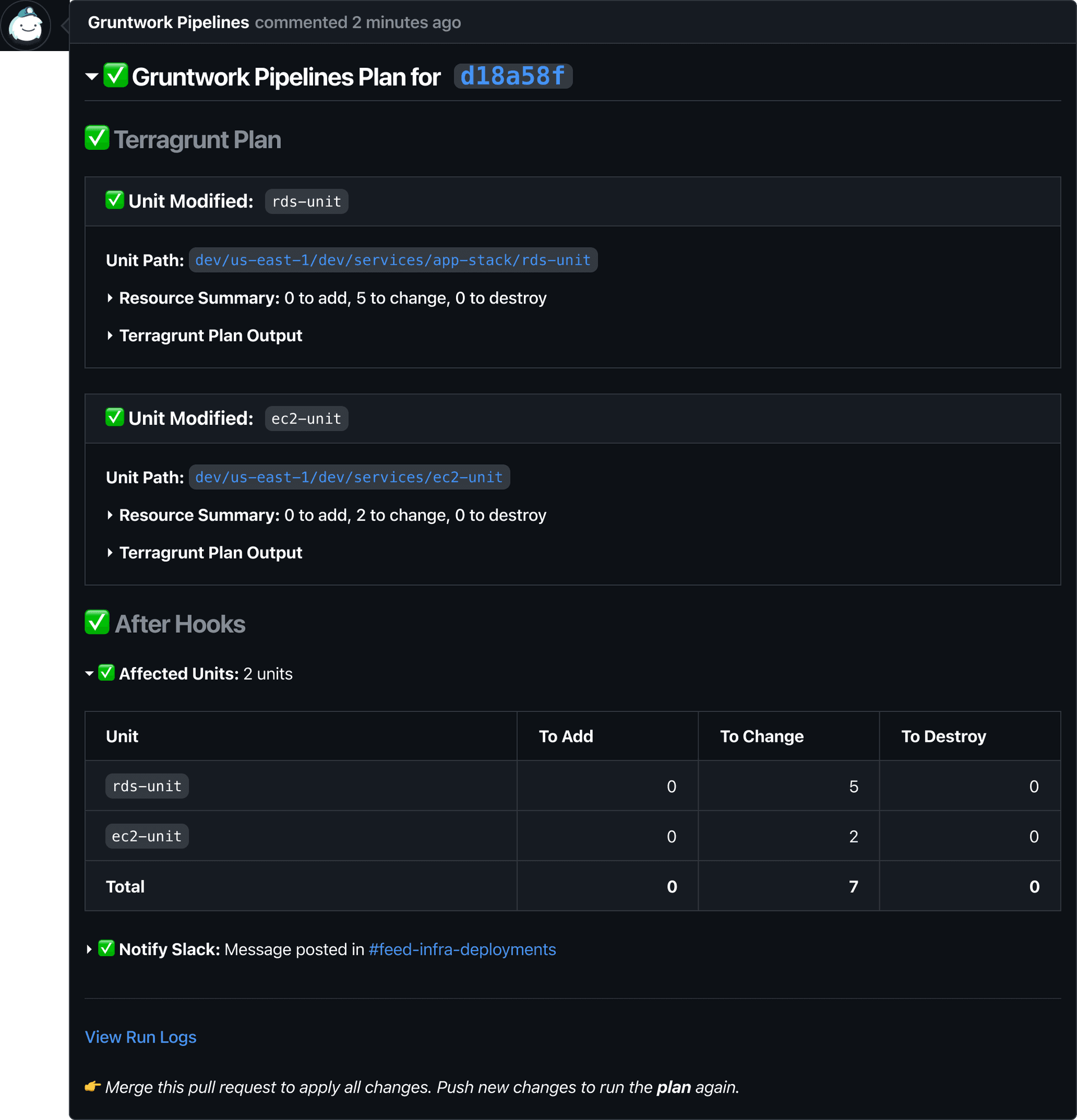
Hooks receive rich context about the pipeline run, including execution results and access to plan files for every affected unit. They can also generate output that’s displayed directly in the pull request comment, making it easy to surface custom reports, summaries, or links to external systems.
Hooks live in the repository block, and run in the order defined. The example below defines two hooks:
affected_units, which summarizes the planned infrastructure changes.notify_slack, which posts deployment details to Slack using OIDC authentication.
Here’s what a hook looks like:
after_hook "affected_units" {
  name     = "Affected Units" # Displayed in the pull request comment
  commands = ["plan"] # The Terragrunt command(s) the hook runs after
  execute  = [".gruntwork/hooks/affected-units.sh"]
}
Hooks can receive additional configuration through the env block, and access secrets via the authentication block, so you can interface securely with external tools.
after_hook "notify_slack" {
  name     = "Notify Slack"
  commands = ["plan", "apply"]
  execute  = [".gruntwork/hooks/notify-slack.sh"]

  # Values provided in the environment when the hook executes
  env {
    CHANNEL_ID = #Slack channel ID
  }

  # Least-privilege OIDC roles you can use to access your secrets store
  authentication {
    aws_oidc {
      account_id         = "123456789012"
      plan_iam_role_arn  = "arn:aws:iam::123456789012:role/pipelines-plan"
      apply_iam_role_arn = "arn:aws:iam::123456789012:role/pipelines-apply"
    }
  }
}
Rather than burying integration output in CI logs, Pipeline Hooks surface summaries directly into the pull request comment, keeping reviewers informed alongside the infrastructure plan. Here's an example with the two hooks above:
Hooks are available today as of GitHub v4.19.0 and GitLab v2.14.0. See the documentation for setup instructions and additional details.

